The spine of tabs
The spine is the column of tabs down the edge (Week, Month and Year, then one per tracker and collection), and it is the whole of how you move around Planye. Drag to reorder it, and open Your spine in Settings to colour, hide or space the tabs.
- Reorder quicklyDrag a tab on the strip itself.
- Open the drawerThe account menu at the foot of the spine, then Your account, then Your spine. At a desk, right-click the strip.
- Hide a tabThe eye beside it in the drawer. Nothing in it is deleted.
- Put it backReset, with a few seconds to undo.
It ships arranged, and you can rearrange it
Roughly time first, then tracking, then collecting: the same order Help groups them in. Nothing stops you rearranging it the day you sign up, and nothing you wrote moves with it.
The edit drawer
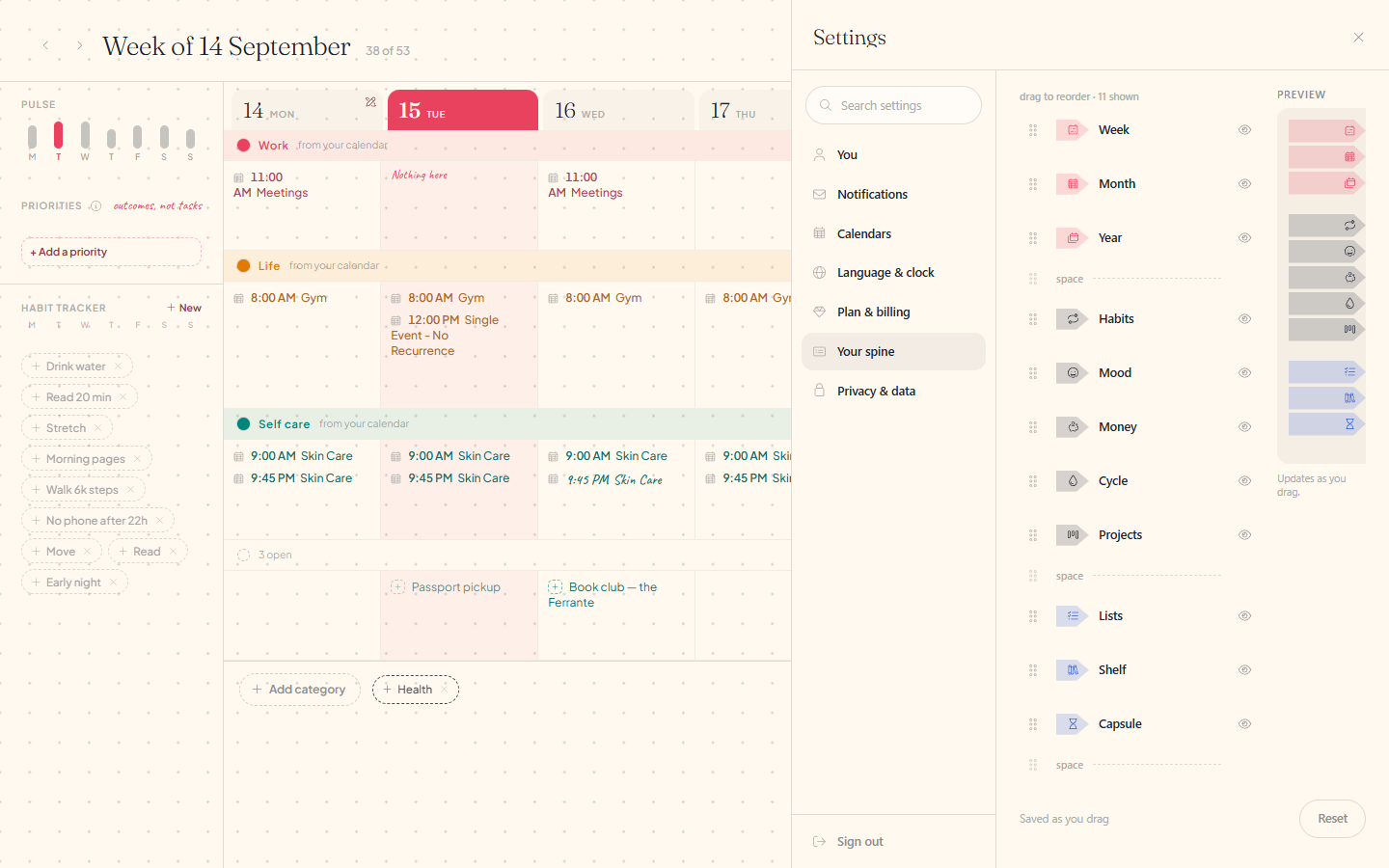
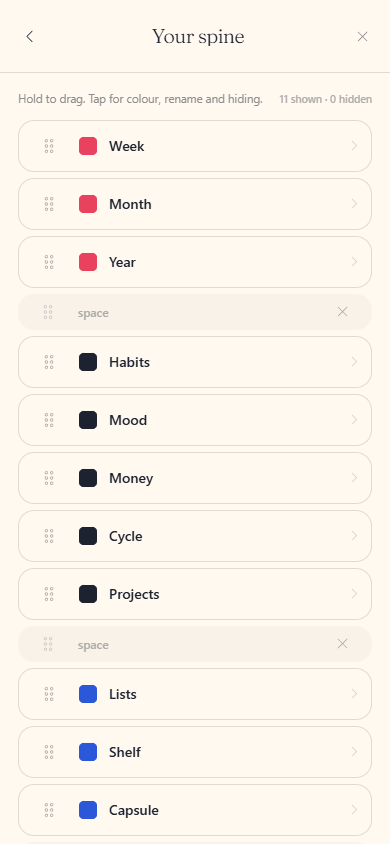
Drag a tab on the strip itself for a quick reorder, or open Your spine in Settings for the fuller drawer: drag there too, plus a colour dot per tab, an eye to hide the ones you do not use, and thin spaces to drop between groups.
Reordering tabs and hiding one from the spine's edit drawer
Reordering tabs and hiding one from the spine's edit list
Questions about the spine
The details, for when you want them. Nothing here is required reading.If I hide a tab, do I lose what is in it?
No. Hiding takes the tab off the strip and leaves everything behind it exactly as it was. Show it again and it is all there.
What does Reset put back?
Order, colour, spaces and any tab you had hidden, in one press, with a few seconds to undo it.
Does my arrangement follow me to another device?
Yes. It belongs to your account, so a phone and a desk show the same spine.